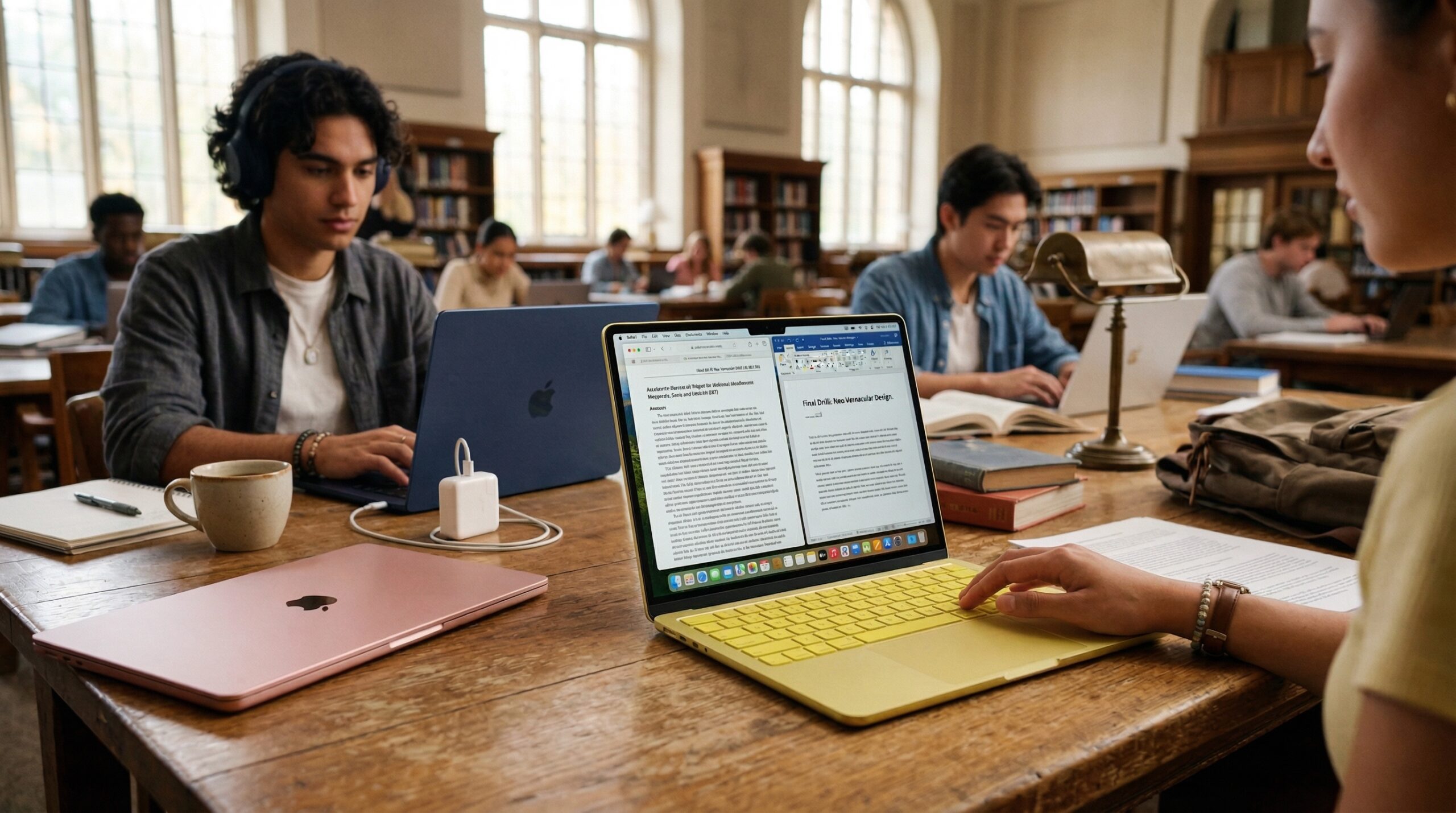
Apple has officially broken the $600 barrier. Launched on March 4, 2026, the MacBook Neo is a direct move to capture the student and budget laptop market. By repurposing high-end mobile silicon for a laptop body, Apple has created a machine that is surprisingly fast, completely silent, and highly portable.
Apple’s new MacBook Neo brings the A18 Pro chip to a sub-$500 student price point, offering a silent, highly portable alternative to traditional laptops. However, it lacks a backlit keyboard and high-speed ports, which are standard on the refurbished MacBook models at Phonebot. This guide breaks down the performance and trade-offs to help you decide if it fits your 2026 school year.
Pricing Breakdown: The $499 “Education Loophole”
The headline feature of the MacBook Neo is undoubtedly the price. For the first time in years, a brand-new MacBook is priced to compete directly with mid-range Chromebooks and Windows laptops.
Retail vs. Education Pricing
- Standard Retail: $599 (256GB storage / 8GB RAM).
- Education Discount: $499. This price is available to current and newly accepted college students and their parents, as well as faculty and staff at all levels.
The $100 Upgrade: Is the 512GB Model Worth It?
There is only one major configuration upgrade for the Neo. For $699 ($599 for education), you get:
- 512GB SSD: Double the storage for apps and files.
- Touch ID: The base $599 model does not include Touch ID on the power button. If you want biometric login and Apple Pay with your fingerprint, you have to choose this higher tier.
Performance: iPhone Power in a Laptop Body
The MacBook Neo is the first Mac to ever use an “A-series” chip instead of the desktop-class M-series. It runs on the A18 Pro, the same chip found in the iPhone 16 Pro.
Understanding the A18 Pro Chip
While it is technically a mobile chip, the A18 Pro is a powerhouse built on a 2nm process.
- Efficiency: Because it was designed for a phone, it consumes very little power.
- Speed: In single-core tasks, like opening Safari, running Spotify, or typing in Google Docs, it is actually 40-45% faster than the aging M1 MacBook Air. It feels incredibly “snappy” for daily student life.
Thermal Efficiency: The Silence of the Neo
The MacBook Neo is fanless. There are no moving parts inside, meaning it runs 100% silent. This is a massive benefit for students working in quiet libraries or recording audio for a project. Even under a heavy load, you will never hear a “whirring” fan sound.
8GB RAM in 2026: Is it Enough?
The Neo comes with 8GB of unified memory, and it cannot be upgraded. For writing papers, researching with 15+ tabs, and streaming 4K video, 8GB is sufficient. However, for students in heavy video editing or 3D modeling majors, this will be a bottleneck.
Design and features built for a busy campus
Portability and Build Quality
At 2.7 lbs (1.23 kg), the Neo is lighter than the MacBook Air. It features an all-aluminum design with soft, rounded corners. It is built to be thrown into a backpack every day without the durability concerns of plastic budget laptops.
The “Fun” Factor: Blush, Citrus, and Indigo
Apple is leaning into personality with this release. The Neo comes in four finishes:
- Silver: The classic look.
- Blush: A soft pink/rose hue.
- Citrus: A vibrant, energetic yellow.
- Indigo: A deep, professional blue. The keyboard keys are color-matched to the chassis in a lighter shade, making it the most colorful Mac lineup since the original iMac G3.
Apple Intelligence as a Personal Study Assistant
The A18 Pro chip includes a 16-core Neural Engine designed specifically for Apple Intelligence. This is a major selling point for students in 2026.
- Writing Tools: System-wide proofreading, rewriting, and tone adjustments for essays.
- Summarization: One-click summaries of long research PDFs or recorded lectures.
- Image Clean Up: Removing distractions from photos for presentations. Buying a new Neo ensures you have the hardware to run these AI features locally and privately, something older refurbished Macs struggle to do.
The “Catch”: Where Apple Cut the Corners
To hit the sub-$500 price point, Apple made three specific cuts that every student should know before buying.
The Dark Side: No Keyboard Backlight
The most controversial decision is the lack of a backlit keyboard. The keys do not light up in the dark. If you frequently study in a dark dorm room while a roommate sleeps, you will need a desk lamp. The keys are engraved in a high-contrast font to help with visibility, but it is a significant step back from other MacBooks.
Port Limits: USB 3.0 vs. USB 2.0
The Neo has two USB-C ports, but they are not created equal:
- Port 1: Supports USB 3 (up to 10Gb/s) for fast data transfer to external drives.
- Port 2: Limited to USB 2.0 speeds (480Mb/s). Tip: Use the slower USB 2.0 port for your charging cable so you keep the fast port open for accessories.
The Mechanical Trackpad
Unlike the “Force Touch” trackpads on the Air and Pro (which don’t actually move), the Neo uses a mechanical Multi-Touch trackpad. It physically clicks down. It still supports all macOS gestures (pinch to zoom, three-finger swipe), but it feels more traditional and less “premium” than its expensive siblings.
Connectivity and The “One Cable” Dream
One hidden advantage of the iPhone-class chip is power requirements. The MacBook Neo comes with a compact 20W USB-C Power Adapter. This means you can charge your laptop, your iPhone, and your AirPods all with the same small brick. For a student traveling between home and campus, this significantly lightens the “tech bag” load.
The Final Verdict for 2026
The MacBook Neo isn’t for everyone, but it is exactly what it claims to be: a highly accessible, reliable entry point into the Mac ecosystem.
- Buy the Neo if: You are an Arts, Humanities, or Business student who needs a light, silent machine for writing, research, and long battery life on a budget.
- Skip the Neo if: You are an Engineering or Film student, or if you frequently work in total darkness and cannot live without a backlit keyboard.
At $499, the MacBook Neo provides better build quality, a better screen (500 nits), and a better webcam (1080p) than almost any Windows laptop at the same price. It is a “workhorse” for the average student who just needs things to work.