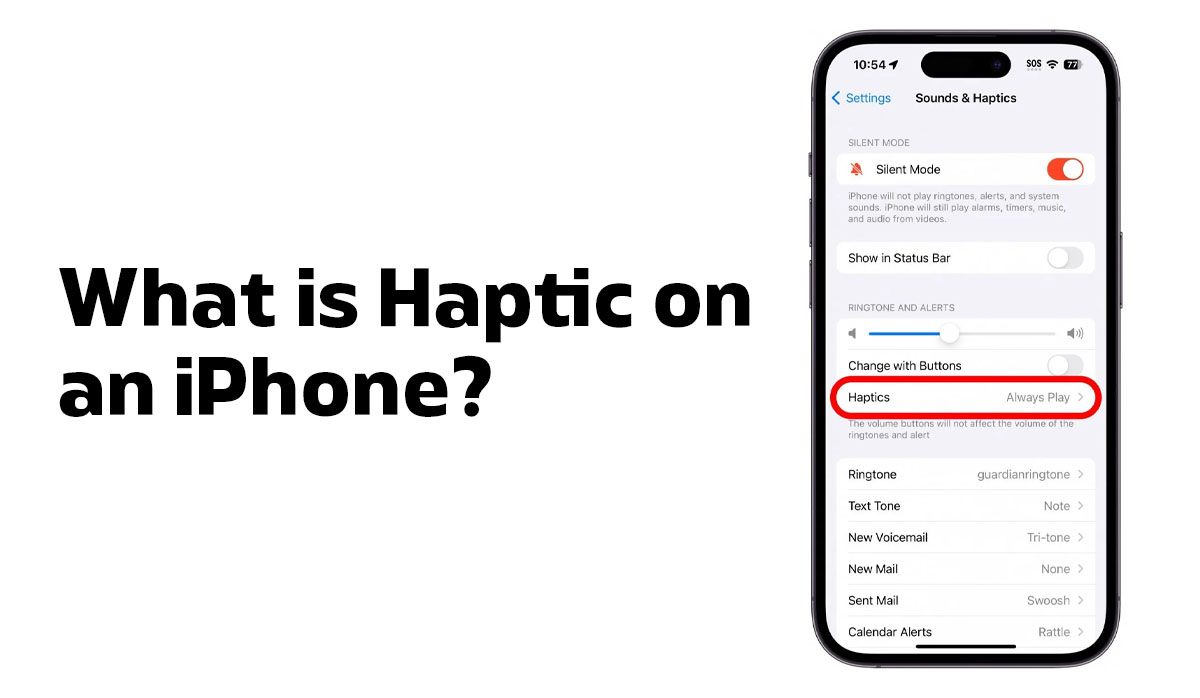
If you have ever felt a subtle buzz when you press a button, type on the keyboard, or swipe to delete an app on your iPhone, that is haptic at work. It is one of those features most people use every day without ever thinking about what is actually happening beneath the screen. This guide breaks down exactly what haptics means on an iPhone, how the technology works, and how you can control it.
What Does Haptic Mean on iPhone?
Haptic feedback is the physical sensation your iPhone produces in response to touch. Instead of just showing you something on screen or playing a sound, your iPhone communicates through vibration. A gentle tap when you press a button, a subtle pulse when you unlock the device, a quick nudge when you reach the end of a scroll, these are all haptic responses.
The word “haptic” comes from the Greek word for touch. In the context of smartphones, it refers to any tactile feedback that a device generates to simulate a real physical sensation. Apple’s implementation of this technology goes far beyond a basic buzz. It is precise, fast, and intentional in a way that most users can feel but rarely stop to analyse.
The Taptic Engine: What Is Inside Your iPhone
The hardware responsible for all haptic feedback on the iPhone is called the Taptic Engine. Apple coined the name by combining the words “tap” and “haptic,” and it refers to a custom-built component that sits inside every iPhone from the iPhone 6S onward.
Unlike the older vibration motors found in early smartphones, which used an Eccentric Rotating Mass (ERM) motor that spun an off-centre weight to create a rough, imprecise buzz, the Taptic Engine uses a Linear Resonant Actuator (LRA). An LRA moves a small mass back and forth along a single axis rather than spinning it in a circle. This design produces vibrations that are crisp, immediate, and precise. According to a detailed engineering breakdown by iFixit, the linear actuator inside the Taptic Engine can reach its peak output in a single cycle and generate vibrations that last as little as 10 milliseconds, which is why iPhone haptics feel sharp rather than buzzy.
Apple first introduced the Taptic Engine in the original Apple Watch in 2014, then brought it to the iPhone with the iPhone 6S in 2015. That same year, it appeared in the MacBook alongside the Force Touch trackpad, allowing the laptop to simulate physical clicks without any moving parts under the glass.
From 3D Touch to Haptic Touch: How It Evolved
When the Taptic Engine arrived on iPhone 6S, it worked alongside a feature called 3D Touch. This allowed the device to detect how hard you were pressing the screen and respond differently to light taps versus firm presses. A light press would preview a link. A firm press would open a shortcut menu. The Taptic Engine provided the physical feedback that made these interactions feel real rather than arbitrary.
3D Touch required pressure-sensitive hardware built directly into the display, which added cost and complexity. Apple removed it starting with the iPhone 11 in 2019 and replaced it with Haptic Touch, a simpler system based entirely on how long you press rather than how hard. A long press triggers a menu, a haptic response confirms the action, and the experience feels natural without requiring any specialised display hardware.
The real turning point came with the iPhone 7. When Apple removed the physical Home button and replaced it with a solid-state indentation, the Taptic Engine had to do something it had never done before: convince you that you were clicking a real button when you were not. Apple engineered a second-generation Taptic Engine specifically for this task, and the result was convincing enough that many users genuinely could not tell the difference between the virtual and physical click.
If you want to see just how much the overall device experience improved across generations, our iPhone 17 vs iPhone 16 comparison covers the hardware and feel differences in detail.
Where Haptics Appear in Everyday iPhone Use
Once you start paying attention, haptic feedback is everywhere on your iPhone. Here are the main places you encounter it daily:
Keyboard typing. Since iOS 16, Apple offers optional haptic feedback for every key press on the built-in keyboard. Each tap produces a subtle vibration that makes typing feel more physical and grounded. This feature is off by default because, as Apple notes, enabling keyboard haptics can have a small effect on battery life.
Notifications. Your iPhone uses different vibration patterns to communicate urgency. A text message produces a different pulse than an email, and an urgent alert feels distinctly different from a standard notification. These patterns are part of a deliberate design language that lets your iPhone communicate without you looking at it.
System interactions. Deleting an app, pulling down the Control Centre, adjusting a slider, triggering a long press menu — all of these generate subtle haptic responses through System Haptics, which can be toggled on or off in Settings.
Silent mode. Haptics continue to work when your iPhone is on silent. This is by design. The purpose of haptics is partly to replace audio feedback in situations where sound is inappropriate, such as meetings or quiet spaces.
The Action Button and the Future of Haptic Hardware
The Taptic Engine has also enabled Apple to rethink physical buttons entirely. With the iPhone 15 Pro, Apple introduced the Action Button, a solid-state button with no moving parts that relies entirely on the Taptic Engine to simulate the sensation of a click. You press it, you feel a response, but mechanically nothing moves. This removes a physical ingress point for dust and water while making the button feel just as satisfying as a traditional one.
This direction points clearly to where iPhone hardware is heading. As we covered in our full breakdown of everything expected from the iPhone 18 Pro series, upcoming models are rumoured to extend this solid-state approach to the volume and power buttons as well, replacing all remaining mechanical parts with haptic-powered alternatives.
How to Control Haptics on Your iPhone
Apple gives you several levels of control. According to Apple’s official support documentation, here is where to find the key settings:
Turn System Haptics on or off: Settings > Sounds and Haptics > System Haptics toggle
Turn keyboard haptics on or off: Settings > Sounds and Haptics > Keyboard Feedback > Haptic
Adjust Haptic Touch speed: Settings > Accessibility > Touch > Haptic Touch > choose Fast or Slow
Disable all vibrations entirely: Settings > Accessibility > Touch > Vibration toggle (note: this also disables emergency alert vibrations)
You cannot adjust the intensity of individual haptic responses through standard iOS settings. Apple controls the strength and pattern of each haptic centrally to ensure consistency across the system.
Why Haptics Matter More Than You Think
Haptic feedback is one of those features that quietly shapes how confident and connected you feel when using your iPhone. When a button responds to your touch with a precise physical sensation, your brain registers the interaction as successful without needing visual confirmation. This reduces errors, speeds up interactions, and makes the experience feel premium rather than flat.
Apple has invested significantly in this technology since 2014, and the Taptic Engine remains one of the clearest examples of hardware and software working together invisibly. Android flagships from Samsung and Google have made significant progress in closing the gap, but Apple’s tight integration between the Taptic Engine and iOS still gives it a consistency advantage that is difficult to replicate.
As iPhones continue to shed physical buttons and mechanical parts, the Taptic Engine is not just a nice-to-have feature. It is becoming the primary interface between your finger and your device.