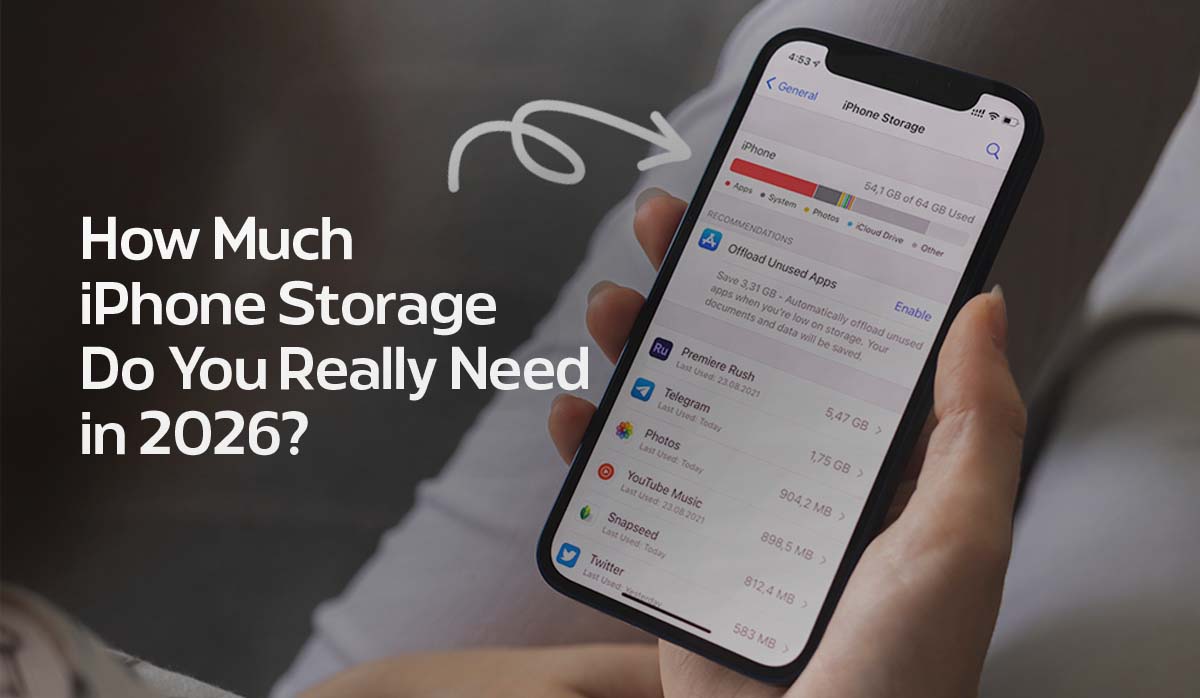
Selecting the right iPhone storage capacity is no longer a simple matter of counting photos. In 2026, the iPhone has evolved into a high-performance computer that processes massive amounts of data locally to protect user privacy. With the release of iOS 26 and the latest flagship hardware, the “safe” amount of storage has shifted dramatically.
If you are currently evaluating the Best iPhone to buy in Australia, your choice of storage is arguably more important than the model itself. A 128GB iPhone 18 Pro might feel like a bargain today, but it could become technically obsolete within 18 months due to the storage demands of modern software.
1. The Apple Intelligence Footprint: Why Local Storage Matters
By 2026, Apple Intelligence has moved from a “cloud-assisted” model to an “on-device first” architecture. To ensure user privacy, most generative AI tasks—from Siri’s complex reasoning to local image creation in Image Playground, happen directly on your iPhone’s A19 or A20 Pro chip.
- The Neural Engine Cache: Large Language Models (LLMs) and diffusion models require a permanent “home” on your disk. Reports indicate that iOS 26 reserves a dedicated 7GB to 10GB partition exclusively for AI weights and active processing cache.
- Visual Intelligence Data: The new Visual Intelligence features, which identify objects and text in real-time through your camera, generate a massive index of local metadata to speed up recognition without pinging a server.
- System Bloat: Between the “Liquid Glass” design overhaul of iOS 26 and the expanded system resources, a fresh install can occupy up to 22GB before you even download your first app.
2. High-Bitrate Media: The “Storage Killer.”
The primary reason buyers are asking Is iPhone 17 Worth Upgrading often relates to the new 48MP and 200MP camera sensors. While the photos are stunning, the file sizes are astronomical.
ProRAW Photography Math
A standard 12MP HEIF photo is about 2MB. However, a 48MP ProRAW image, essential for those who want to edit their photos professionally, averages 75MB per shot. If you take just 10 photos a day in ProRAW, you are consuming nearly 2.2GB per month on photos alone.
Video: From 4K to 8K
In 2026, 4K at 120fps is the standard for Pro models, and rumors of 8K support for the iPhone 18 series are already impacting buying decisions.
The primary reason for the storage bottleneck on modern devices is the move toward professional-grade video formats. According to Apple’s official ProRes documentation, shooting in 4K at 60fps requires immense write speeds and capacity, which is why Apple actually restricts 4K ProRes recording to models with at least 256GB of storage. If you choose a 128GB model, you are essentially locked out of the highest-quality video settings unless you connect an external SSD via the USB-C port, a significant trade-off for users who prioritize a sleek, handheld experience.
- 4K at 60fps: ~400MB per minute.
- 4K ProRes: ~6GB per minute.
- 4K at 120fps: This requires such high write speeds and capacity that 128GB models are often software-locked to lower resolutions unless an external SSD is connected via USB-C.
3. The 2026 Storage Tier Breakdown
To help you decide, we have analyzed the four primary tiers based on the current app ecosystem and media requirements.
128GB: The “Cloud-Reliant” Entry Point
In 2026, 128GB is the bare minimum. We only recommend this tier if:
- You pay for a high-tier iCloud+ plan (200GB or 2TB).
- You use “Optimize iPhone Storage” to offload full-resolution photos to the cloud.
- You stream 100% of your media (Spotify, Netflix, YouTube) and rarely download for offline use.
- Verdict: Risky for long-term use. You will likely spend significant time managing “Storage Full” alerts.
256GB: The “Safe” Standard (Best Value)
For the vast majority of Australian users, 256GB is the sweet spot. It provides enough “breathing room” for:
- A Massive App Library: Modern AAA mobile games like Genshin Impact or Resident Evil can exceed 30GB each.
- Local AI Processing: Comfortable space for Apple Intelligence to grow over multiple iOS updates.
- Casual Content Creation: You can shoot 4K video on weekends without needing to clear your phone every Sunday night.
- Verdict: The best balance of price and future-proofing.
512GB: The “Power User” Choice
If you don’t want to think about storage for the next four years, 512GB is the answer. This is ideal for:
- Frequent Travelers: Who need 50GB+ of offline maps, movies, and music for long-haul flights.
- Parents: Who take thousands of high-resolution videos of their children and want to keep them locally for instant viewing.
- Workplace Utility: Professionals who use their phone to store large PDF libraries, CAD files, or high-res presentation assets.
- Verdict: Expensive, but offers total “storage freedom.”
1TB / 2TB: The “Pro” Production Tier
These tiers are essentially professional SSDs with a phone attached.
- ProRes Filmmaking: Necessary if you shoot in ProRes Log for color grading.
- Desktop Replacement: For users who use Stage Manager and external displays to use their iPhone as their only computer.
- Verdict: Overkill for 99% of people, but a requirement for the creative industry.
4. Local Storage vs. iCloud: The Latency Gap
Many users believe that buying a small-capacity phone and a large iCloud plan is the same as buying a large-capacity phone. In 2026, this is no longer true because of Latency.
When you use Apple Intelligence to search through your photos or edit a video, the AI needs the file to be local. If the file is in the cloud, your phone has to download it first. On Australia’s mobile networks, this can lead to “buffering” during AI tasks. Local storage is always faster, more private, and works 100% of the time, even when you have no bars of signal in the Outback.
Summary Checklist: Which One Should You Click?
| If you… | Your Storage Match |
| Are on a tight budget and use iCloud | 128GB |
| Want a phone that “just works” for 3 years | 256GB |
| Love photography and don’t like deleting files | 512GB |
| Shoot professional video or never use the cloud | 1TB+ |
Before finalizing your purchase, consider the latest hardware rumors. Every iPhone 18 Pro & Pro Max Leaks report suggests that the next generation of sensors will produce even larger files, making that 256GB or 512GB upgrade look even smarter in hindsight.